Testing the Limits of Vibe Coding

Can AI really build an app on its own? I put vibe coding to the test by creating Chefly - AI Powered Recipe Generator, without touching a code. Here's what I learned about the process, its limits, and the future of vibe coding or AI assisted development.
Lets me recap for you what I cover in this blog:
- Vibe Coding Setup
- AI models used
- Project objective
- Approach for development
- Results
- Conclusion and the future
Vibe Coding Setup
I set up everything purely to capture the vibe coding experience. The idea was simple. I didn’t write a single line of code myself. That was the goal. I wanted to see if AI could actually deliver what I expected.
All development happened through Code Server using the Claude Code plugin. Every bit of planning, prompting, and testing was done on my iPad Pro with a keyboard, which really completed that true vibe coding feel.
AI Model used: sonnet 4.5
Developed Project: Chefly
It all started with a simple dilemma my wife and I often had at home. What should we cook this week? Of course, this isn’t a new problem, there are already countless solutions out there: recipe websites, mobile apps, and even subscription services.
But I thought: I wanted to try vibe coding on something practical, to see its real limits and results, while also creating something I could actually use from time to time. And that’s how Chefly - AI Powered Recipe Generator was born. I even tested two of the generated recipes, and the taste was absolutely amazing.
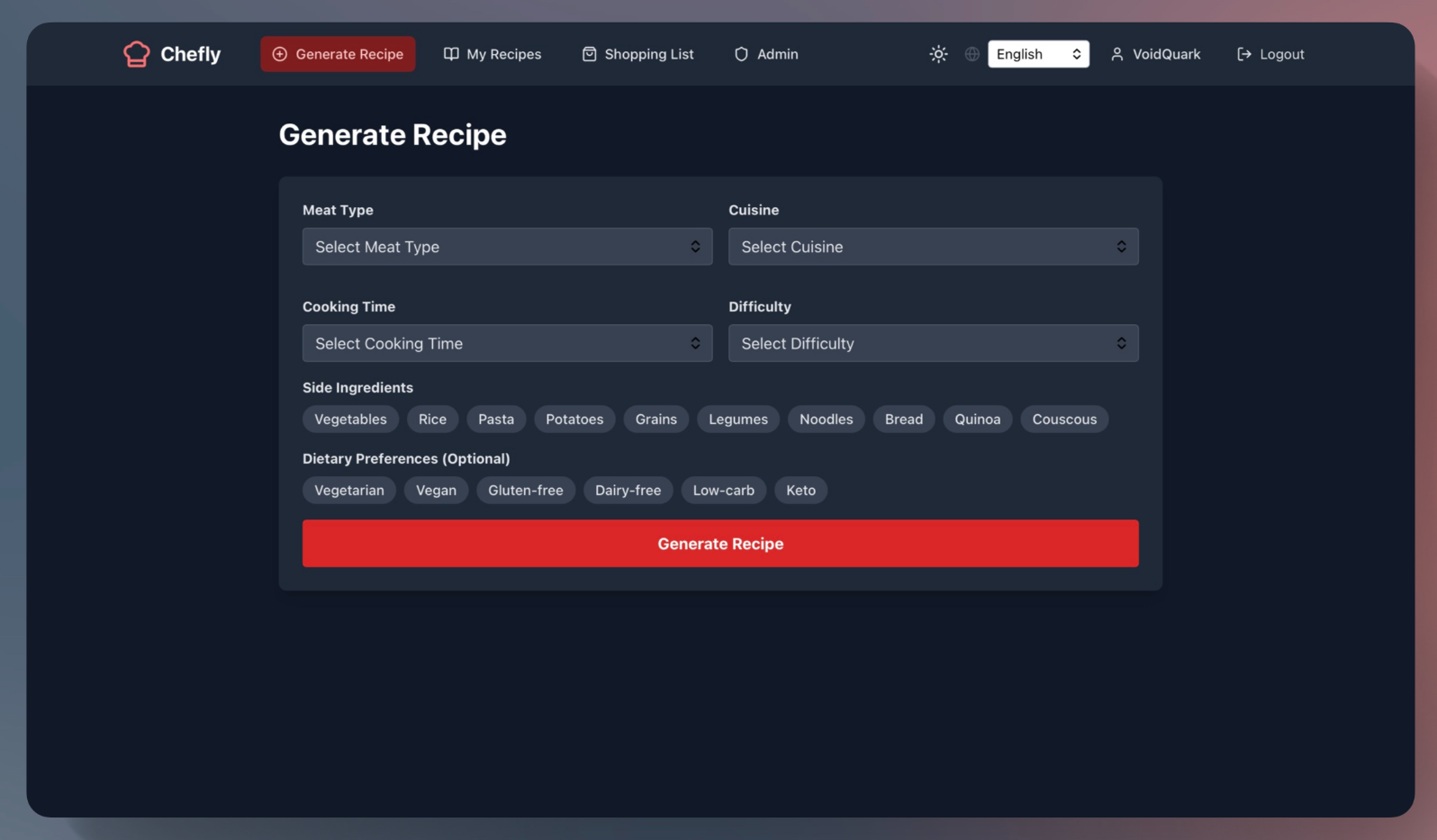
I wasn’t trying to invent anything new that wasn’t the goal. Instead, I wanted to create a containerized web application that could generate professional recipes based on basic requirements, store them, and even build a shopping list I could open directly in the supermarket.
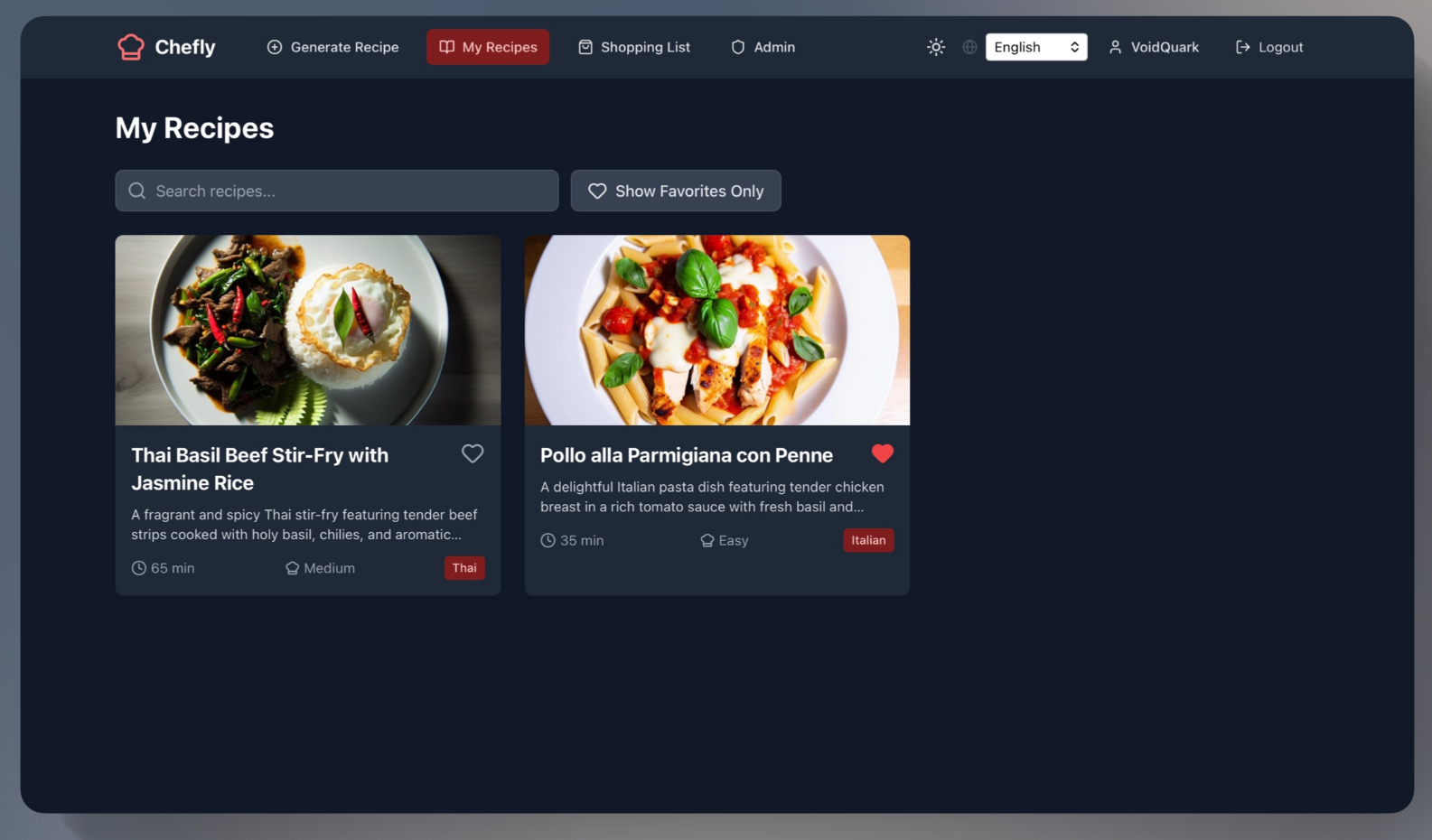
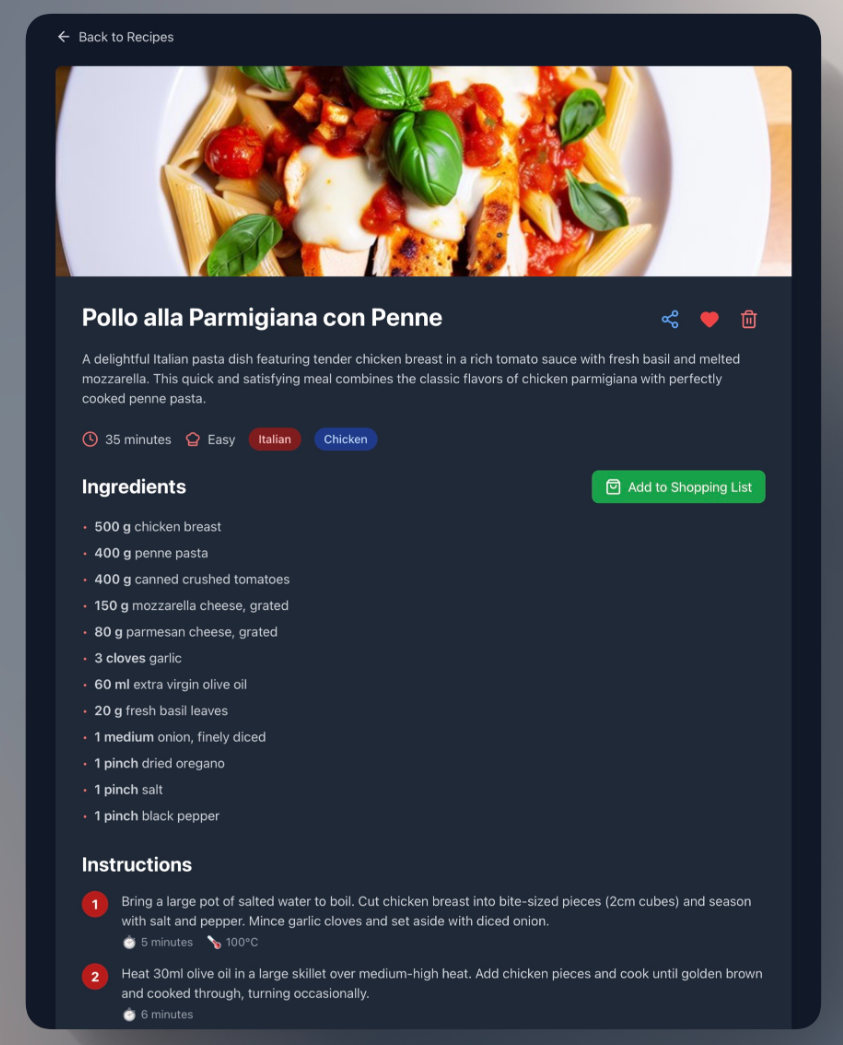
Here are some screenshots of the application:
Features I Wanted in Chefly:
- Multi-user support
- Admin panel
- Store and remove generated recipes, each user has their own recipe book
- Favorite recipes for quick access
- Full-text search in My Recipes
- One-click to add recipe ingredients to the shopping list
- Refresh token support (no daily logins required)
- Self-registration page for new users
- Global instance and per-user recipe generation limits
DALL·E 3integration for generating recipe images (no copyright issues)- Share recipes via public links (no login required)
- Backend API audit logging for request tracking
- Light/Dark mode
- Fully responsive and mobile friendly UI
- Language support for
skanden - Claude AI for recipe generation
The Process: How I Achieved This
Before starting, I had a clear vision of what features I wanted. The first step was to create a detailed plan and then implementation plan. I decided early on that the backend would be written in Go with an embedded frontend. For the frontend, I gave the AI full freedom to choose and it ended up selecting React, Vite and Tailwind CSS.
I’ll keep the recap short otherwise, this post would turn into a massive technical write up.
At this point, I asked Claude AI to create a detailed project plan including all required features, following best practices and security guidelines, and to ask me clarification questions where needed. The result was a long Markdown document filled with a complete plan and a list of follow-up questions from Claude.
Once we finalized the plan, I requested an implementation plan divided into phases. Each phase included specific goals so I could test the backend and frontend step by step. While I could have delegated this testing to AI as well, I preferred to handle it personally.
From there, Claude started vibing generating code, documentation (when requested), and summaries after each phase. I tested everything as we went along, and whenever something didn’t work or wasn’t what I expected, Claude fixed it. This process repeated until all phases were completed.
In the end, I had Chefly, which is available on GitHub and as a Docker image.
There are still a few backend and frontend bugs I’d like to fix, but at this stage, I consider the project feature complete for my personal use.
Limitations of AI (in My Opinion)
In my view, the most significant limitation of AI in development today is context size. When Claude AI reaches or approaches its context limit, it summarizes the current state and continues in a new context window. While this works surprisingly well, it still introduces a major constraint.
Even at 1 million tokens, that’s only about 700–800 pages of text far less than what a human brain can hold conceptually about a large codebase or system design. AI, on the other hand, can only process what fits into its memory window at a given time. This is a real challenge.
As of now, I don’t think AI can fully manage the entire lifecycle of a complex project without human involvement. You can use multiple agents with specialized roles for example, a project manager, backend developer, or tester but they all still share the same fundamental limitation: restricted context and also quality of trained data.
Another issue is that if you forget to provide an important piece of information, the AI often skips or overlooks it. There are ways to mitigate this by defining built-in rules that the AI will automatically follow in every conversation. These rules can be loaded each time a new session starts. This approach is well explained here: Claude Code Best Practices.
In short, the secret to successful AI-assisted development lies in providing:
- Excellent context
- Clear plan
- Well defined roles (if using agents)
- Detailed implementation and refactoring instructions
- Auto load well defined rules
My Conclusion as of Oct 2025
Don’t be naive and think you can fully develop and operate a large-scale SaaS product purely through vibe coding. It’s not realistic at least not yet.
What makes sense right now is responsible AI-assisted development and testing, but on a much smaller scale. AI can be very effective for implementing small features or performing targeted refactoring, as long as humans review the changes, even after an initial AI review within a pipeline. In my opinion, it’s crucial that developers stay familiar with the code they merge into their codebase.
I believe AI will achieve much more in the coming years, and the progress will be rapid. To put it in perspective, I like to compare it to the evolution of storage systems. When computers first appeared, entire rooms were needed to store just a few megabytes of data. Today, we can easily store multiple terabytes on a single NVMe drive. I think AI will follow a similar trajectory for rapid and drastic improvements.
With better training data and larger context windows, the development experience will become much better. If we ever reach a point where AI can handle almost unlimited context, the quality of its output will be far beyond what we see today. Even if it doesn’t reach full human level context, the improvement will still be dramatic not only in programming, but across nearly every field.
Thanks for reading. I’m looking forward to seeing where AI goes next. But for now, back to the void 🛸 ➡️ 🕳️.